 [Site Name]
JPG scans to editable DXF lines
Separate ink from paper and size a scanned drawing from a known measurement. Choose a JPG to inspect the outlines locally.
PNG or JPG up to 10 MiB, 4 megapixels and 4096 px per side.
See the lines you will get
Try sample drawing- Drawing
- mounting-plate.png
- Actual size
- 120 × 80 mm
- Geometry
- 4 closed polylines
Check your drawing
Compare source and traced lines
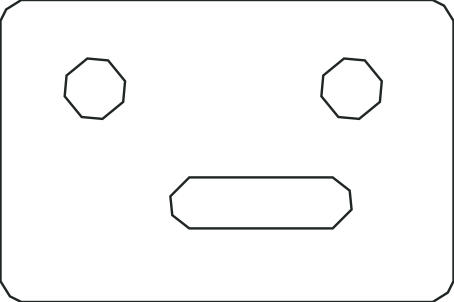
Compare thin slots and small holes before exporting.
Check before you cut
- Inspect the holesMake sure every inside contour you need is present.
- Confirm the sizeMeasure the imported drawing in your CAD or cutting software.
- Run a test cutMachine settings and material tests still belong to your fabrication workflow.
How image to DXF conversion works
Choose your image
PNG or JPG stays on your device while the browser reads it.
Clean the paths
Set threshold, smoothing, and speck removal while checking the preview.
Set the real size
Choose millimeters or inches and enter the dimensions your project needs.
Download the geometry
Take an editable DXF for CAD or an SVG for other vector software.
Clean a scanned drawing
How do I remove paper texture?
Lower the threshold until pale paper marks disappear. If the ink breaks up, raise it slightly and use speck removal for isolated marks.
What if the scan was taken at an angle?
Square up and crop the scan first. Physical scaling changes width and height, but it cannot reverse perspective distortion.
How do I recover the scale?
Measure the original outline. For a part that measures 2 inches across, choose inch and enter 2 for width. The file records inch units. Confirm the same 2-inch measurement in CAD.